

Stop Overspending, Start Aligning Workflows
Virtual Desktop Infrastructure (VDI) was likely sold to your organization on the promise of operational consistency and iron-clad security. Whether it’s Citrix, VMware, AVD, or another broker, the technical benefits are clear.
But when you, the CFO, audit the numbers, the story often changes.
Instead of predictable costs, you discover a financial black box. You see:
- Year-over-year VDI spend increased 15–35%.
- A shift from predictable CapEx to unpredictable, ballooning OpEx in the cloud.
- Undocumented data egress charges that appear from nowhere.
- Massively over-provisioned GPU and compute pools sitting idle.
- Complex, multi-product licensing stacks that require a full-time analyst to even understand.
- A heavy, expensive dependency on specialist engineers just to keep the platform running.
This article reframes VDI not as a technology choice but as a cost structure. It’s a structure with five distinct buckets, key diagnostic questions, and workflow-driven levers that any finance leader can use to interrogate a VDI design—new or existing.
To illustrate how these cost levers are applied, we will use Thinfinity VDI on Oracle Cloud Infrastructure (OCI) as a brief case study—not as a recommendation, but as a practical example of what “optimized” actually looks like.
Where VDI Spend Actually Goes: The 5-Bucket Cost Model
Every VDI platform, regardless of vendor, ultimately breaks down into the same five cost categories. Understanding these buckets is the foundation for optimization.
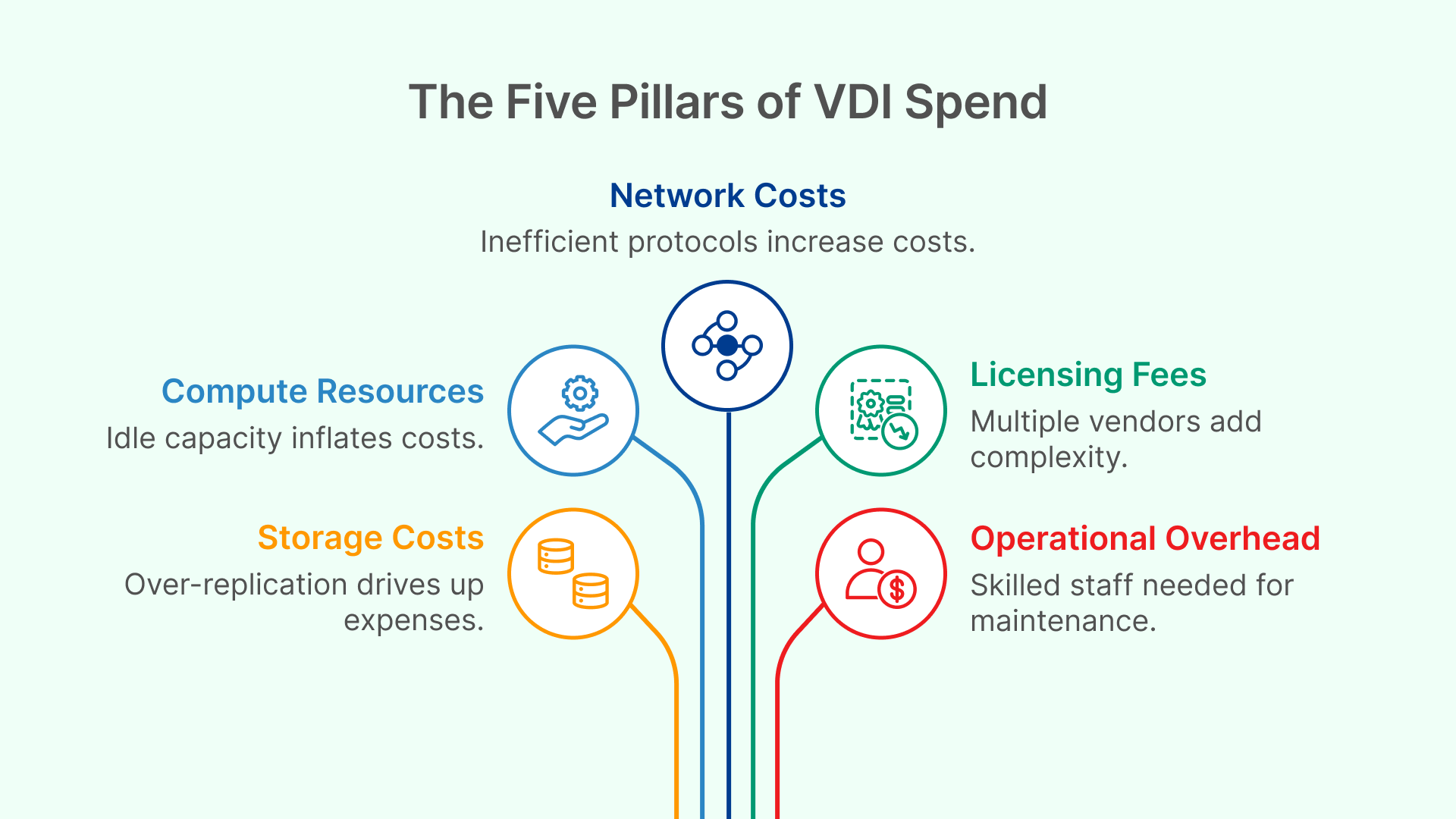
1. Compute & GPU Resources
This is the “engine” of your VDI: the virtual machines, session hosts, CPU, RAM, and expensive GPU-accelerated instances for power users.
- The Problem: Legacy VDI is often sized for “peak concurrency”—the absolute busiest 15 minutes of the year. This means 90% of the time, that expensive capacity sits idle, but you pay for it 24/7. GPU-heavy workloads (trading, 3D modeling, CAD) make this problem exponentially more expensive.
- CFO Diagnostic:
“Show me the hourly usage patterns for the past 90 days. How many VMs are sitting idle between 8 PM and 6 AM?”
2. Storage & Backup
This includes storage for golden images, user profile disks, temporary session data, and compliance logs or recordings.
- The Problem: Data is often over-replicated or, worse, kept on expensive, high-performance “Tier 1” storage when it’s “cold” (rarely accessed). Compliance requirements to retain logs for 3–7 years can turn this into a major, compounding cost.
- CFO Diagnostic:
“What percentage of our VDI storage is actively used daily versus what is sitting in long-term retention? Is our retention data on the most expensive storage tier?”
3. Network & Egress Costs
This is the cost of data moving around: traffic between users and their VDI hosts, replication between data centers, and external data transfers.
- The Problem: On public clouds like Azure and AWS, egress (data leaving the cloud) is a top driver of unexpected bills. If the VDI protocol is inefficient, or if session traffic has to cross regions (e.g., a user in London accessing a desktop in New York), these costs can spiral.
- CFO Diagnostic:
“What is our estimated network egress cost per user, per month? Is that number based on a real-world measurement or a vendor’s assumption?”
4. Licensing & Subscriptions
A VDI ecosystem is rarely a single-vendor product. The stack commonly involves licensing for the VDI platform, gateways, VPNs, multi-factor authentication (MFA), monitoring tools, and DR orchestration.
- The Problem: The typical “all-in” VDI stack can easily include 4–7 different subscription lines, each with its own renewal date, support contract, and overhead.
- CFO Diagnostic:
“How many separate subscription lines and vendors do we pay to deliver a single virtual desktop to one employee?”
5. People & Operational Overhead
Even “cloud VDI” is not a set-it-and-forget-it platform. It requires highly skilled (and expensive) people for image engineering, OS patching, broker configuration, network tuning, and troubleshooting.
- The Problem: The more complex the architecture (see bucket #4), the more specialized engineers you need. This operational overhead grows exponentially with complexity.
- CFO Diagnostic:
“How many full-time employees (FTEs) are dedicated exclusively to VDI operations, and what are their primary skills? How much do we spend on contractors to fill the gaps?”
The Cloud VDI Cost Trap: Why “Modern” Still Blows the Budget
Many organizations move to the cloud (Azure, AWS, OCI) expecting to save money, only to find their VDI costs get worse. This happens when old design patterns are simply duplicated in a new environment.
- Sized for Peak, Not Reality: IT teams run full user pools 24/7, keeping expensive GPU nodes “always on” because they lack the data or automation to scale dynamically. Impact: 30-50% wasted compute.
- Multiple Overlapping Products: The stack becomes more complex in the cloud: Citrix + Azure AD + Azure Gateway + VPN + MFA. Each component carries its own license and operational cost, disguised as “modernization.” Impact: Higher OpEx.
- Poorly Modeled Egress Traffic: Users connect to desktops in a region far from their location, or the apps live in a different region from the desktops. This drives up egress fees and latency, which leads to user complaints. Impact: 10-20% of cloud costs are unplanned.
The CFO Playbook: Ask About Workflows, Not Vendors
The single biggest mistake in VDI procurement is treating all users equally. An optimized VDI design starts with workflows.
Your power as a finance leader is to ask the right questions. Here is your playbook.
1. “Who are the actual user personas, and what do they use VDI for?”
Ask IT to group users into personas: Traders, Developers, Analysts, Back-Office Staff, Contractors, etc.
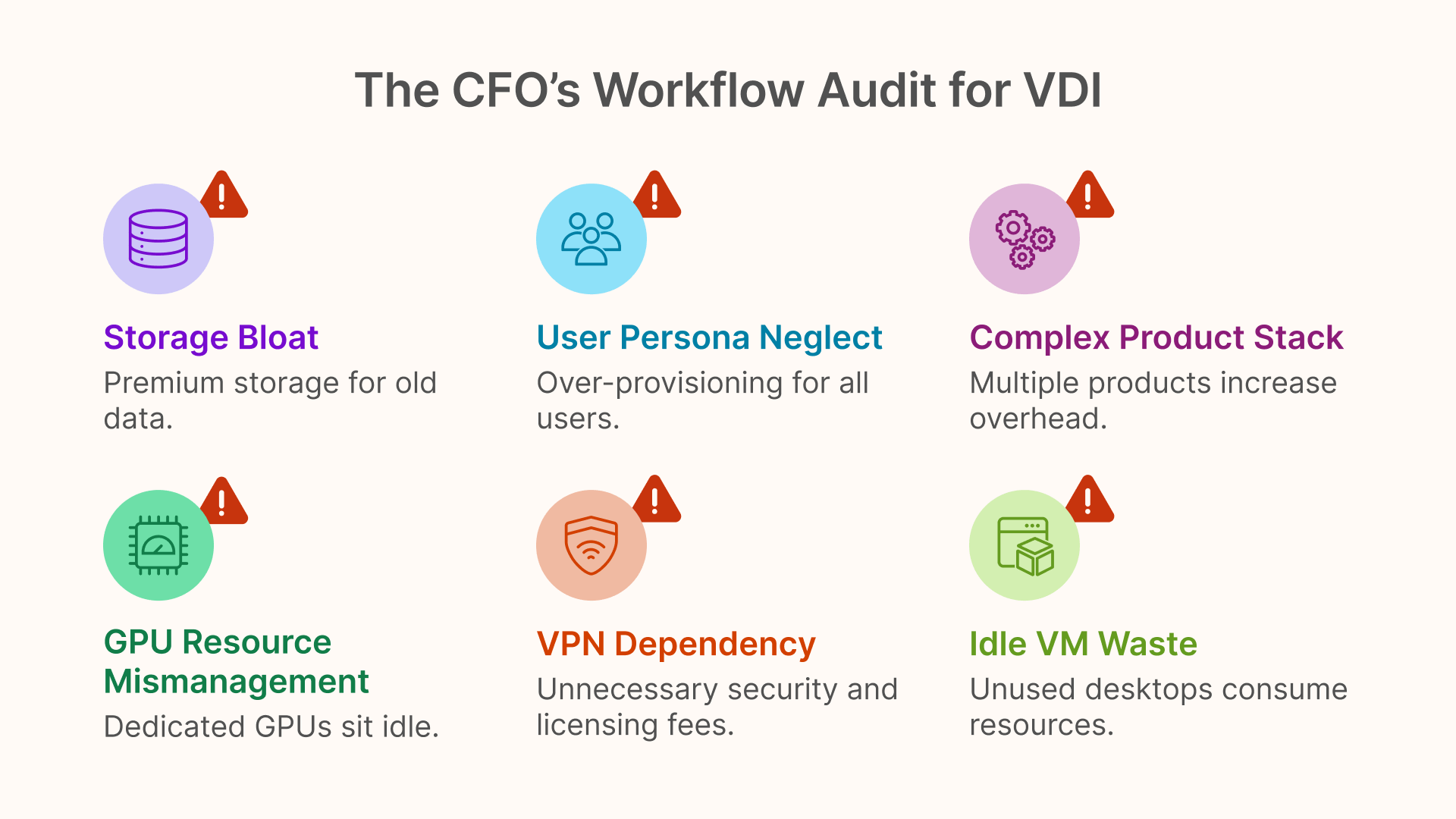
- Why this matters: Each persona has different needs for CPU, RAM, GPU, and hours of activity. When all personas get the same powerful (and expensive) VM, you are subsidizing massive over-provisioning for thousands of hours per month.
- Savings potential: 10-40% reduction in compute spend just by aligning VM shapes to personas.
- Illustrative Example: A modern VDI broker can automatically assign traders to a GPU-enabled pool (e.g., on an OCI GPU shape) while assigning back-office staff to a lightweight, low-cost pool. The general lesson: Insist on persona-based pools.
2. “Show me usage by hour. How many desktops are powered on but idle?”
You cannot optimize what you cannot measure. Ask for a 30-day histogram of concurrent sessions, broken down by hour of the day.
- Why this matters: Idle VMs cost money. Most companies operate 24/7 capacity for 8/5 users. This is the single lowest-hanging fruit for VDI cost optimization.
- Savings potential: 30-65% reduction via autoscaling and active-hours policies.
- Illustrative Example: A VDI cloud manager can be set to automatically scale down instance pools during non-business hours. The general lesson: Any modern VDI platform must be able to turn off what isn’t being used.
3. “Do we have GPU users identified, and are those GPUs shared or dedicated?”
GPU workloads are responsible for 50-80% of VDI cost overruns. This area demands an audit.
- Why this matters: Most GPU-enabled desktops sit idle for large portions of the day, yet you are billed for them by the hour.
- Savings potential: 40-75% reduction by moving from dedicated GPUs to shared/pooled GPUs and, critically, scheduling GPU-hosts to be “on” only during active (e.g., trading) hours.
- Illustrative Example: Using lower-cost NVIDIA A10 shapes on OCI only when a session requires it. The general lesson: GPU resources must be explicitly scheduled and pooled, not left “always-on.”
4. “How many separate products do we maintain to deliver one desktop?”
Ask IT to draw the architecture and list every required product: broker, gateway, VPN, MFA, monitoring, etc.
- Why this matters: Each product adds licensing cost, integration friction, and operational overhead. Simpler is cheaper.
- Savings potential: 15-35% reduction from license consolidation alone.
- Illustrative Example: A platform like Thinfinity provides the broker, gateway, MFA, and monitoring in one package, versus a multi-product stack. The general lesson: Challenge IT to demonstrate how they are reducing the number of moving parts.
5. “Where are we keeping logs, snapshots, and recordings—and why?”
Storage bloat is a hidden cost. Ask where compliance data is stored.
- Why this matters: There is no financial reason to store a 3-year-old session log on premium, high-performance block storage.
- Savings potential: 20-40% via storage tiering.
- Illustrative Example: Session logs can be automatically exported to OCI Object Storage (cheap) or WORM (compliance-ready) storage. The general lesson: Cold data must live on cold storage.
6. “Why are we still using a VPN for VDI access?”
Traditional VPNs introduce licensing fees, appliance overhead, and a significant security risk (lateral movement).
- Why this matters: Modern VDI should provide secure, broker-based access over HTTPS (like a website) without needing a VPN at all.
- Savings potential: 5-15% in networking and security spend.
- Illustrative Example: Thinfinity, AVD, and WorkSpaces Web all support clientless HTTPS access. The general lesson: Ask why you are paying for VPN if the VDI platform should already provide secure access.
Your VDI Cost-Cutting Checklist: 7 Areas to Audit
Use this checklist in your next IT architecture review.
- Workload and Persona Alignment
- Do we have a clear persona matrix (Trader, Developer, Back-Office)?
- For each persona, do we know their CPU, RAM, GPU, and active-hour needs?
- Are we assigning standardized “one-size-fits-all” desktops? (If yes, this is where the waste is).
- Capacity and Active Hours
- What is our real hourly concurrency curve?
- How many desktops are idle per hour?
- Does the proposed VDI platform power off unused hosts automatically?
- GPU Cost Governance
- Who needs GPU and why?
- Are GPUs shared, pooled, or dedicated?
- Can GPU nodes be powered down when not in use?
- Network and Traffic Modeling
- Are desktops co-located (in the same data center) as the apps they use?
- How many GB/user/month of egress traffic is modeled in the budget?
- Storage Tiering and Retention
- What is stored on premium block storage vs. cheap object storage?
- Does the VDI system automate the cleanup of old snapshots and logs?
- Licensing Rationalization
- How many separate products are required end-to-end?
- Are there overlapping MFA, monitoring, or gateway tools?
- Operational Complexity
- How many FTEs are required to operate this platform?
- Does this architecture reduce or increase our dependency on high-cost specialist admins?
Conclusion: The Right VDI Economics Come From Design Discipline — and Thinfinity on OCI Shows What “Good” Looks Like
Smart VDI cost optimization doesn’t start with vendors — it starts with understanding workflows, usage patterns, and architectural levers.
CFOs who ground the conversation in persona alignment, active-hours scheduling, GPU governance, storage tiering, and license consolidation consistently achieve the most predictable and defensible VDI cost curves, whether they use Citrix, AVD, Horizon, or newer brokers.
But not every platform makes these levers equally accessible.
And this is where Thinfinity VDI on Oracle Cloud Infrastructure becomes more than just another option — it becomes a reference model for what an optimized VDI architecture should allow IT to do:
- Autoscale based on real working hours, not theoretical peak
- Assign compute and GPU capacity on a persona basis, not a blanket VM size
- Eliminate VPN dependencies through secure, outbound-only browser access
- Consolidate multiple license lines into a simpler cost structure
- Export logs and session data to the right OCI storage tier, instead of forcing premium disks
- Reduce operational overhead by removing layers of gateway, ADC, and add-on components
- Leverage OCI’s structurally lower CPU, GPU, and egress costs
- Achieve transparency — each lever produces measurable, CFO-readable cost impact
In other words:
Thinfinity on OCI demonstrates what it looks like when VDI is engineered around cost efficiency instead of accumulated complexity.
You could replicate some of these levers using other stacks — AVD with careful autoscaling, Citrix with cloud-native gateways, or Horizon with custom automation — but doing so usually requires more tools, more scripts, more engineering effort, and more operational risk.
Thinfinity on OCI simply exposes the right controls with the least friction.
For CFOs, this matters.
It means that a VDI proposal built around Thinfinity on OCI generally comes with:
- Fewer assumptions
- Fewer moving parts
- Fewer surprise costs
- A clearer 3-year TCO
- A straighter line between workflow and spend
- And a higher probability of actual, not theoretical, savings
We’re well aware that your role isn’t to get lost in the technical weeds, but to ensure the financial logic of VDI modernization is sound.
And we’re here to help you do exactly that. The cost-optimization framework we just outlined isn’t just a theory; it’s the very blueprint we used to build Thinfinity VDI on OCI. We provide the most direct, measurable, and CFO-friendly path to put these principles into action and deliver those savings.