

The release of Thinfinity Workspace 8.5 marks a major leap forward in visibility, scalability, and end-user experience.
With an all-new Monitoring Module, expanded database support for MySQL and MariaDB, advanced threshold-based autoscaling, and improved desktop and Linux client performance, Thinfinity 8.5 continues to evolve as a cloud-agnostic, enterprise-grade platform for secure workspace delivery.
Holistic Monitoring: Real-Time Insights Across Every Thinfinity Layer
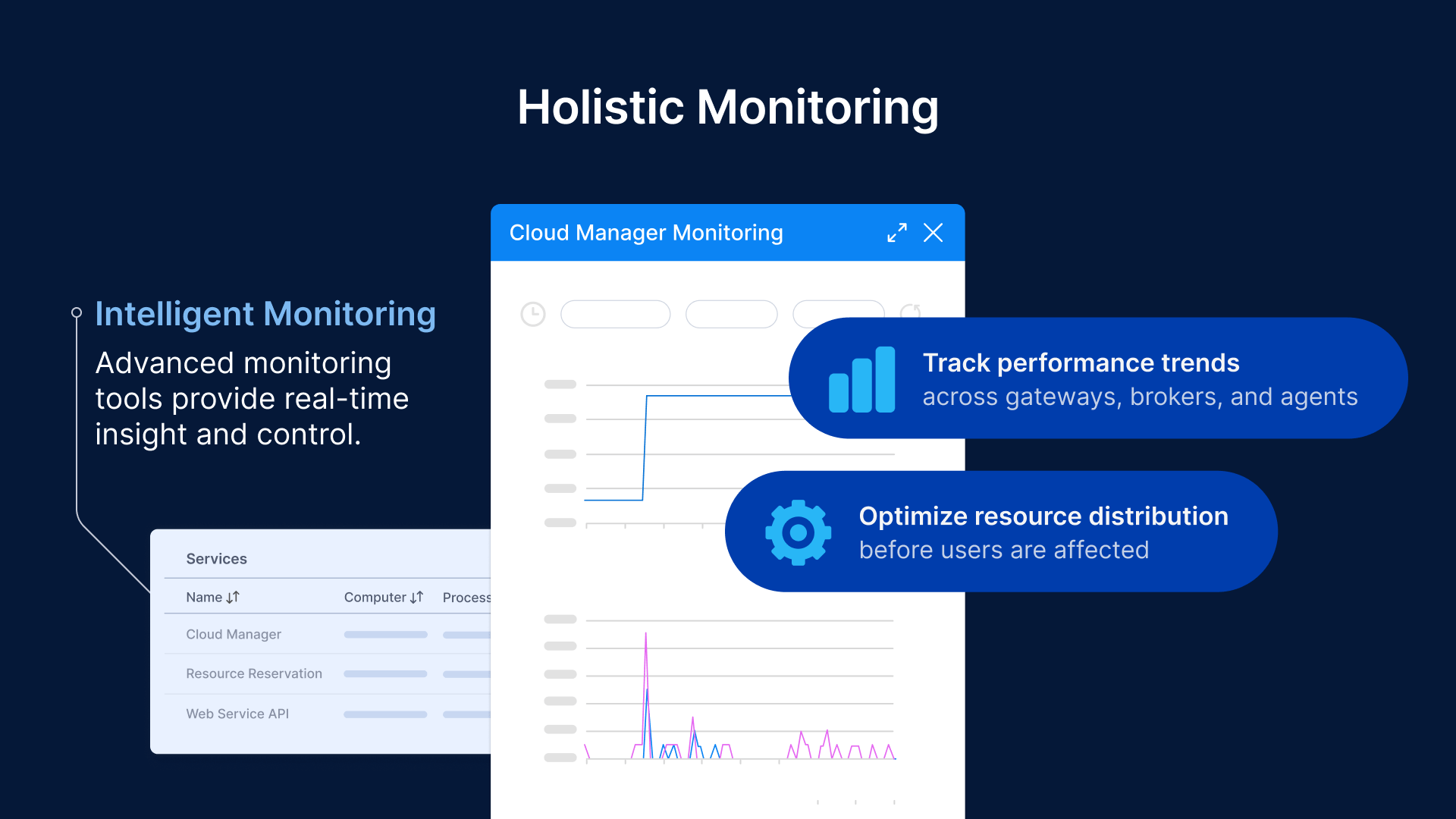
Thinfinity Workspace 8.5 introduces a completely reimagined Monitoring Module, transforming how administrators observe and maintain their environments.
Built on the foundation of the former Broker Monitor Tool, this evolved monitoring system provides a unified, real-time view across all Thinfinity core components — Gateways, Brokers, and VDI Agents.
Administrators can now:
- Monitor resource consumption (CPU, memory, network usage, active sessions) on each Thinfinity service.
- Track performance trends across gateways, brokers, and agents simultaneously.
- Visualize real-time operational data through interactive dashboards.
- Quickly identify bottlenecks and optimize resource distribution before users are affected.
This holistic observability transforms Thinfinity into a self-diagnosing infrastructure, allowing proactive maintenance and performance tuning without the need for complex external tools.
Cloud Manager Evolution: Smart Autoscaling with Fully Customizable Usage Thresholds
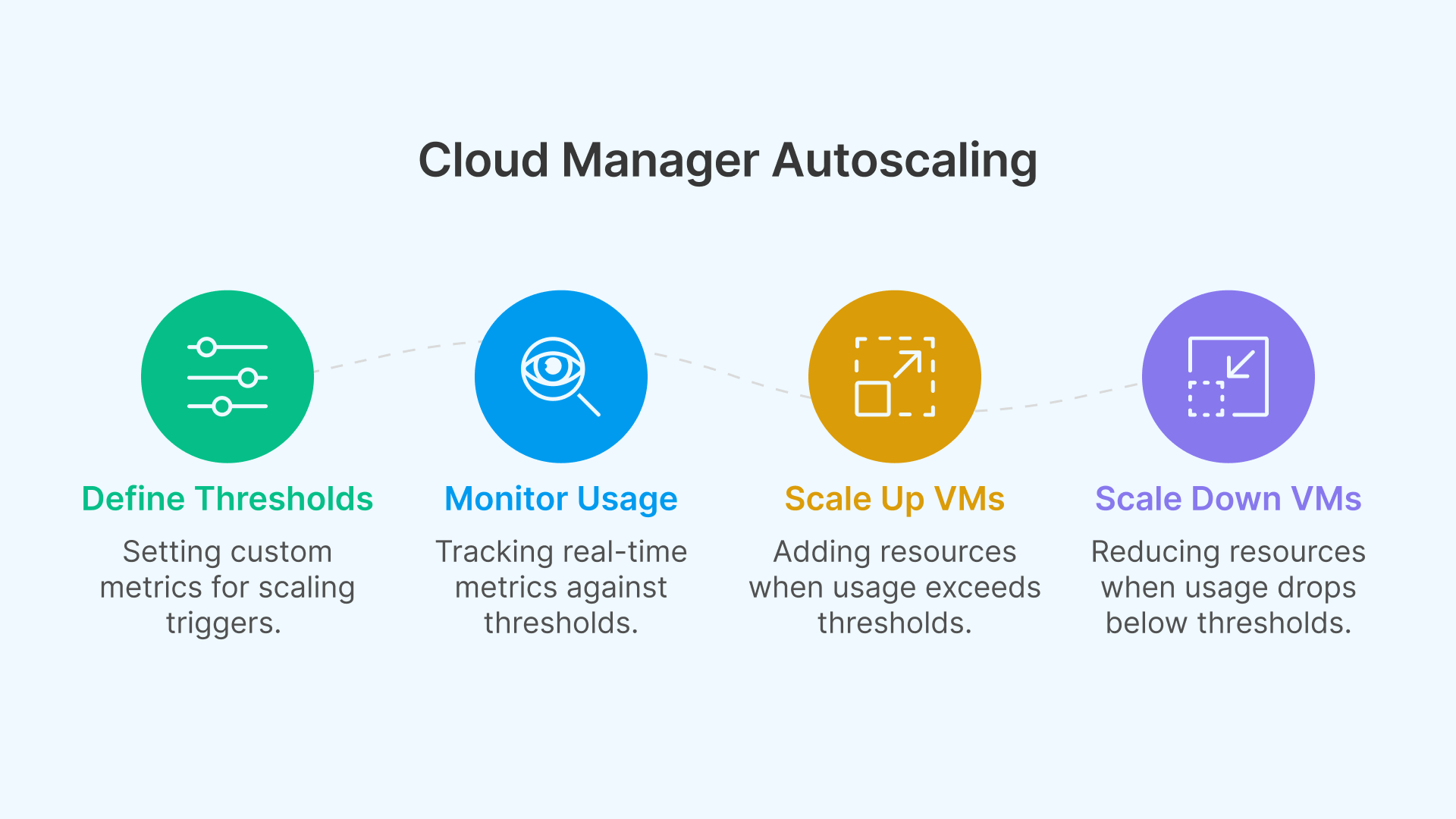
The Thinfinity Cloud Manager evolves in version 8.5 with the introduction of usage-based scaling thresholds, offering complete control over how VMs scale up or down according to real-world user demand.
Administrators can now define any metric or value as a trigger — such as the number of concurrent users, CPU load, or memory utilization — expressed as absolute numbers or percentages.
Practical Examples:
- Scale Up Automatically:
When a VM reaches 70% of its defined capacity (for example, 7 out of 10 active users), Cloud Manager automatically spins up a new VM to handle additional sessions. - Scale Down Gracefully:
When usage drops below a custom-defined value (e.g., fewer than 3 users or below 30% load), the system can automatically shut down or deallocate the underutilized VM to save costs. - Fully Customizable Logic:
Administrators can configure thresholds at any value — 50%, 60%, 90%, or specific user counts — and combine them with scheduled automations for business-hour or after-hours optimization.
This flexibility allows every organization to define its own autoscaling strategy — from aggressive cost-saving models to high-availability clusters that prioritize uptime.
The result is fine-grained, policy-driven automation that adapts to user behavior in real time, without scripts, manual adjustments, or external tools.
MySQL and MariaDB Support: Flexibility and Resilience for Enterprise Databases
Thinfinity 8.5 expands its database ecosystem, now supporting MySQL and MariaDB alongside Microsoft SQL Server and SQL Express.
This enhancement gives enterprises new flexibility in how they design their Thinfinity environments — particularly for high availability (HA) and multi-cloud deployments.
IT teams can now:
- Host their Profiles and Audit Log Databases on OCI MySQL Service, IONOS Cloud MariaDB, or any compatible managed database platform.
- Implement redundancy and failover strategies across distributed clusters.
- Optimize costs by adopting open-source database systems without sacrificing reliability or performance.
With this addition, Thinfinity becomes even more adaptable to enterprise preferences, aligning with both cloud-first and hybrid IT strategies.
Advanced USB Redirection: Full Peripheral Integration, Even in the Browser
Thinfinity Workspace 8.5 extends its native client and browser-based capabilities with advanced USB redirection — a crucial feature for industries that depend on secure, hardware-based authentication and device interaction.
Unlike legacy VDI solutions, Thinfinity establishes a dedicated virtual channel for low-level USB passthrough, supporting even the most complex peripherals.
This new channel enables:
- Smart cards and digital signature tokens to authenticate directly inside the VM.
- FIDO and other hardware security keys for multi-factor authentication.
- Specialized USB devices, such as scanners or encryption modules, to function natively inside virtual desktops.
Whether accessed through a web browser or the Thinfinity Desktop Client, users experience true USB transparency — no plug-ins or local installations required.
This innovation empowers secure workflows in finance, healthcare, and government, providing hardware-level access and compliance assurance from any device, anywhere.
Enhanced Client Experience: Seamless Multimonitor and Adaptive Resizing
The Thinfinity Workspace 8.5 client brings a smoother, more responsive experience for end users.
This update includes refinements that make remote desktops behave even more like local sessions.
Key improvements include:
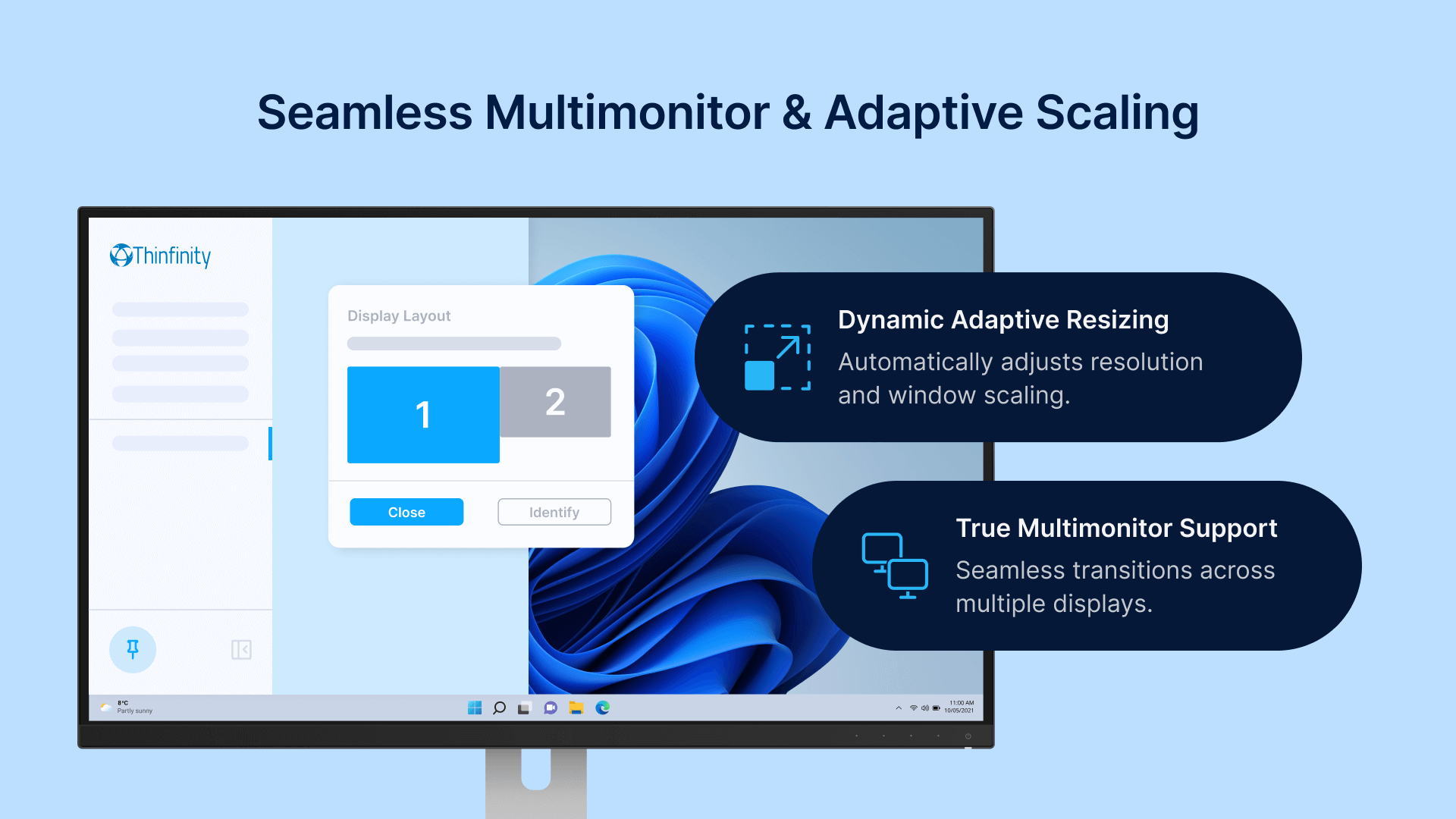
- True multimonitor support, enabling seamless transitions across multiple displays.
- Dynamic session resizing, automatically adjusting resolution and window scaling when users move between monitors or change display settings.
- Optimized rendering through Thinfinity’s H.264-based compression and adaptive WebSocket streaming, minimizing bandwidth consumption while maintaining pixel-perfect quality.
These enhancements make remote desktops, GPU sessions, and published apps feel instantaneous and natural, even under fluctuating network conditions.
Introducing the Native Linux Client for Ubuntu and Debian
With version 8.5, Thinfinity adds full support for Ubuntu and Debian, introducing a native Linux Client built to deliver the same rich experience available on Windows and macOS.
This update enables developers, engineers, and enterprises running Linux-based environments to:
- Access Windows or Linux virtual desktops directly from their native OS.
- Maintain end-to-end security and identity management consistency.
- Integrate Thinfinity into DevOps, research, and production workflows seamlessly.
The addition of a native Linux client underlines Thinfinity’s cross-platform vision — universal access without compromise.
Thinfinity 8.5 at a Glance
| Feature | Description | Benefit |
|---|---|---|
| Monitoring Module | Unified visibility across Gateways, Brokers, and Agents | Real-time performance insight and proactive maintenance |
| MySQL/MariaDB Support | Expanded database compatibility | Greater flexibility for cloud and HA deployments |
| Enhanced Desktop Client | Seamless multimonitor and dynamic resizing | Local-like user experience across displays |
| Advanced USB Redirection | Smart card, FIDO, and peripheral passthrough | Native hardware integration in browser or client |
| Native Linux Client | Support for Ubuntu & Debian | Broader OS coverage for enterprise users |
| Cloud Manager Thresholds | Customizable scale-up/scale-down logic | Optimal resource utilization and cost efficiency |
A Platform Built for the Future of Work
With Thinfinity Workspace 8.5, Cybele Software continues to redefine what an enterprise VDI platform should be — intelligent, adaptable, and secure.
By combining advanced monitoring, expanded database options, enhanced USB and Linux support, and real-time autoscaling control, Thinfinity offers IT teams an environment that grows smarter and more efficient with every release.
For enterprises, this means less complexity, better cost management, and a superior user experience across any device or cloud.
Experience Thinfinity Workspace 8.5 in Action
Ready to see the new features in action?
Deploy Thinfinity Workspace 8.5 in your environment or schedule a live demo to explore the new Monitoring Module, USB redirection, and Cloud Manager threshold automation.